⌨️ Why the build tool is a TUI
A terminal UI looks primitive next to a web app or a native desktop app, and those alternatives are genuinely more capable. So why does yoe use a TUI? A recent video walks through the reasoning, and it comes down to one thing: most of the work already happens in the terminal, and a TUI build tool sits right next to it.
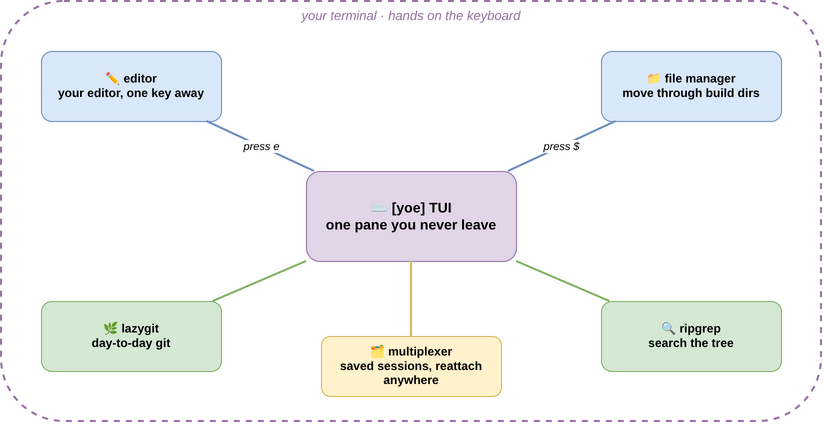
Open a developer's terminal and look at what is running. An editor for finding files and making changes. A file manager for moving through build directories. lazygit for the day-to-day git work. A multiplexer holding saved sessions you can reattach from another machine. ripgrep for searching the tree. These tools are fast, keyboard-driven, and composable — they are where the work happens. A build tool that opens a separate window asks you to leave that environment every time you switch between building the system and changing the code.
Because yoe is a TUI, it starts up inside that same environment. Highlight a unit and press a key, and you land in the same editor you use for everything else — not a built-in editor that almost works, but your editor. Drop into a shell and you are in that unit's build directory, where the rest of your toolkit is already waiting. A TUI is not the most powerful interface for any single one of these jobs, but it inherits an effectively unbounded set of programmer-focused tools for free. The build tool stops being a destination you visit and becomes one more pane in the environment you never left.
The first goal was to shrink the loop between an idea and a running image. A lot of that loop is the friction of moving between tools. Choosing a TUI removes a category of that friction by refusing to pull you out of the environment where the rest of the work already lives — characters on a screen, no pixels spared on chrome, hands on the keyboard, and a clean seam between the build tool and every other tool a developer already trusts.